
Requirement Manager (MarReq)
A comprehensive web-based requirements and test management system
About MarReq
MarReq is a comprehensive web-based requirements and test management system built with Rust, Rocket, and PostgreSQL. This software provides a complete solution for managing hierarchical requirements, tests, traceability matrices, and generating reports.
Whether you're managing software requirements, system specifications, or test cases, MarReq offers a modern, intuitive interface with powerful features for organizing, tracking, and reporting on your project's requirements and tests.
✨ Features
📋 Core Management
- Multi-Project Support: Manage multiple projects with isolated data
- Requirements Management: Create, edit, and organize hierarchical requirements
- Test Management: Manage tests with status tracking and source documentation
- Traceability Matrix: Visual mapping between requirements and tests
- User Management: Assign authors and reviewers to requirements with authentication
🏷️ Advanced Features
- Categories: User-defined categories for organizing requirements (project-specific)
- Applicability: Define product lines, system types, or project scopes (project-specific)
- Status Tracking: Track requirement status (Draft, Accepted, Rejected, etc.)
- Verification Methods: Specify verification types (Test, Analysis, Review, etc.)
- Authentication: Secure login system with password management
- Project Isolation: Data separation between different projects
📊 Reporting & Export
- Excel Export: Export requirements with all fields to Excel format
- Matrix Export: Export traceability matrix to Excel
- ReqIF 1.2: Import and export requirements as ReqIF XML; export current project or an immutable baseline
- Comprehensive Data: All metadata included in exports (categories, applicability, dates, etc.)
📸 Immutable Baselines
- Project Baselines: Create point-in-time snapshots of all requirement versions and traceability
- Immutable: Baselines and their contents cannot be updated or deleted (enforced at DB and API level)
- Version Snapshot: Each baseline stores which requirement version was current per requirement, plus the traceability matrix at creation time
- Export from Baseline: ReqIF and UI support exporting a specific baseline for audits or releases
- API & UI: Create, list, and view baselines via REST API and web UI (project Baselines section)
✅ Requirement Approval Workflow
- Detail page: Approval badge (draft / reviewed / approved), metadata (approved by, date), and actions: Mark as Reviewed and Approve Requirement (for project owners/managers) with confirmation modals
- Edit when approved: Editing an approved requirement creates a new Draft version; user is warned and can cancel or proceed
- Version history: Each version shows its approval state; list and detail show approval consistently
- List view: Approval column and filters (Approved only / Not approved). Transitions are explicit and audit-friendly
🎨 Modern UI
- Responsive Design: Works on desktop and mobile devices
- Modern Interface: Clean, card-based layout with consistent styling
- Intuitive Navigation: Easy-to-use interface with clear visual hierarchy
- Professional Styling: Consistent color scheme and typography
- Dark Mode: Full dark mode support with theme persistence
🔌 API Access
- RESTful API: Complete programmatic access to all data
- JSON Format: Standard JSON responses for integration
- CRUD Operations: Full Create, Read, Update, Delete support
- Project-Scoped: All API operations respect project boundaries
📸 Screenshots
Get a glimpse of MarReq's modern interface and powerful features:
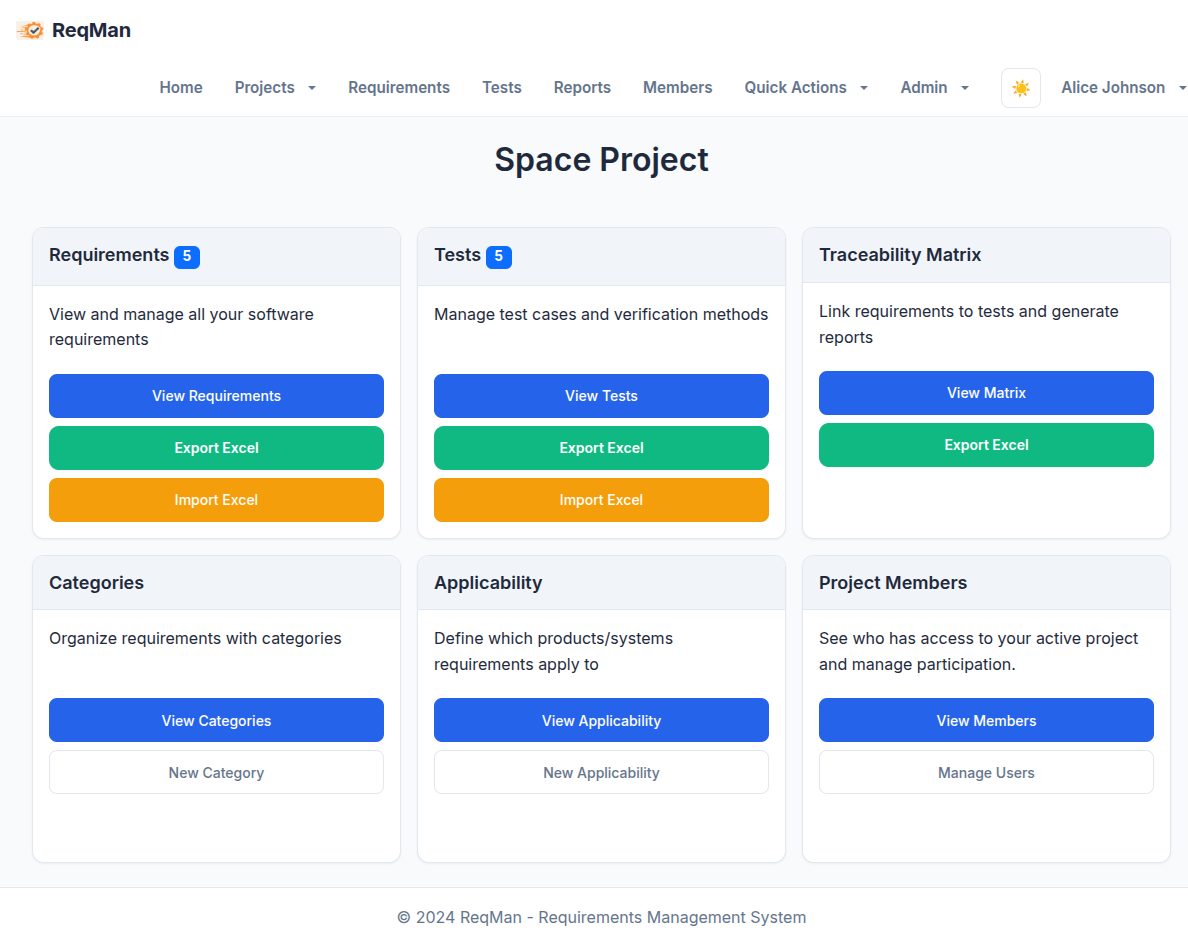
Dashboard
Main dashboard showing project overview and quick access to key features
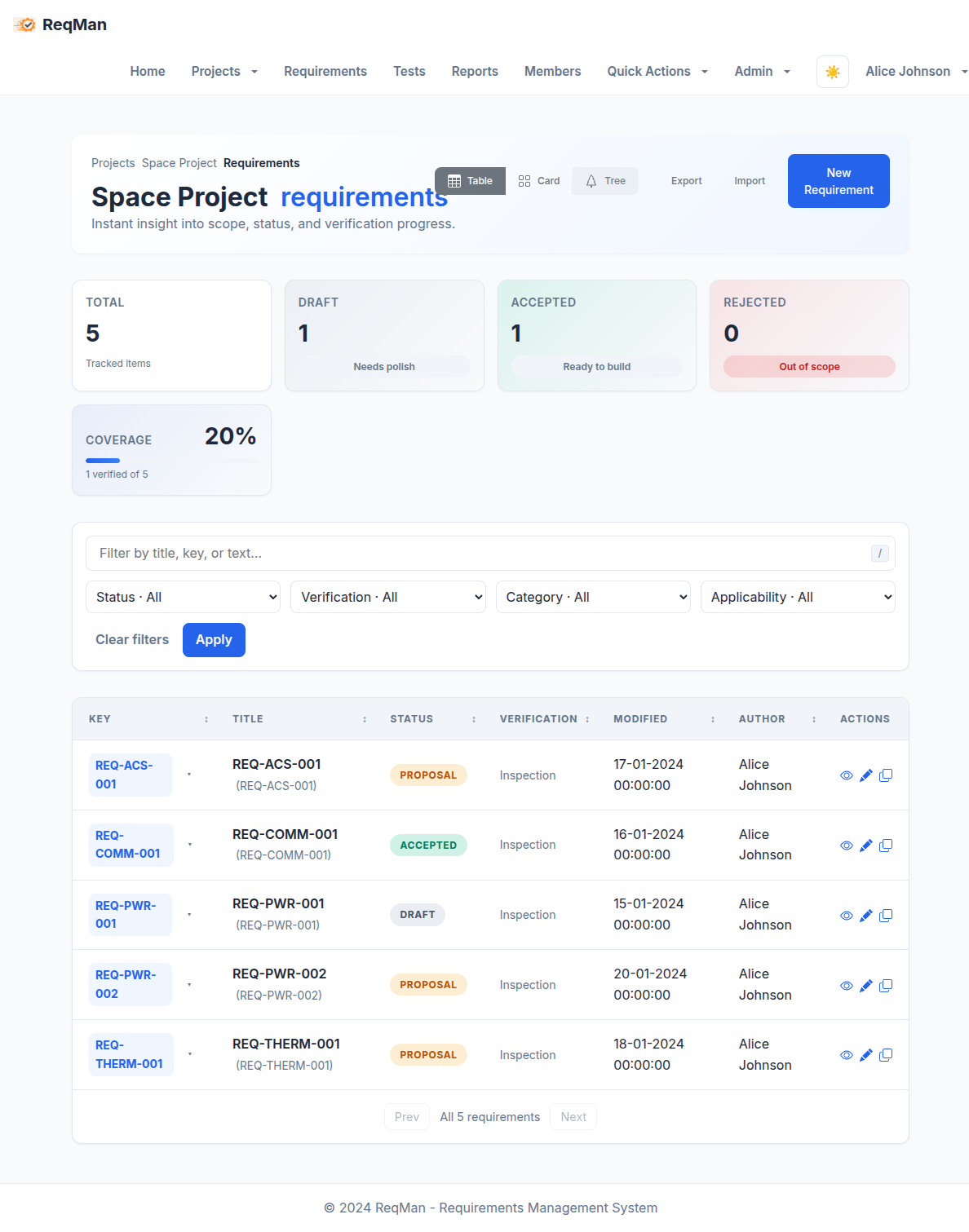
Requirements Management
Create, edit, and organize hierarchical requirements with full metadata
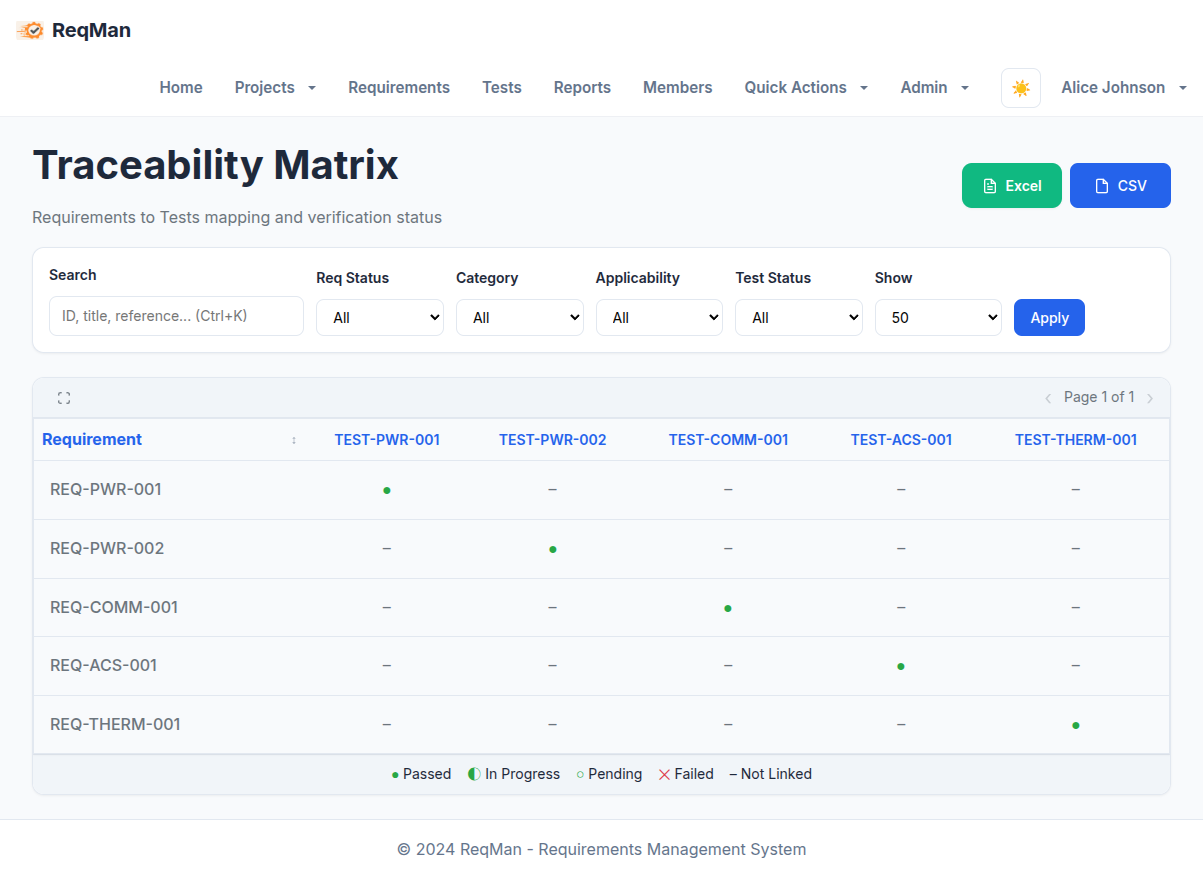
Traceability Matrix
Visual mapping between requirements and tests with status indicators
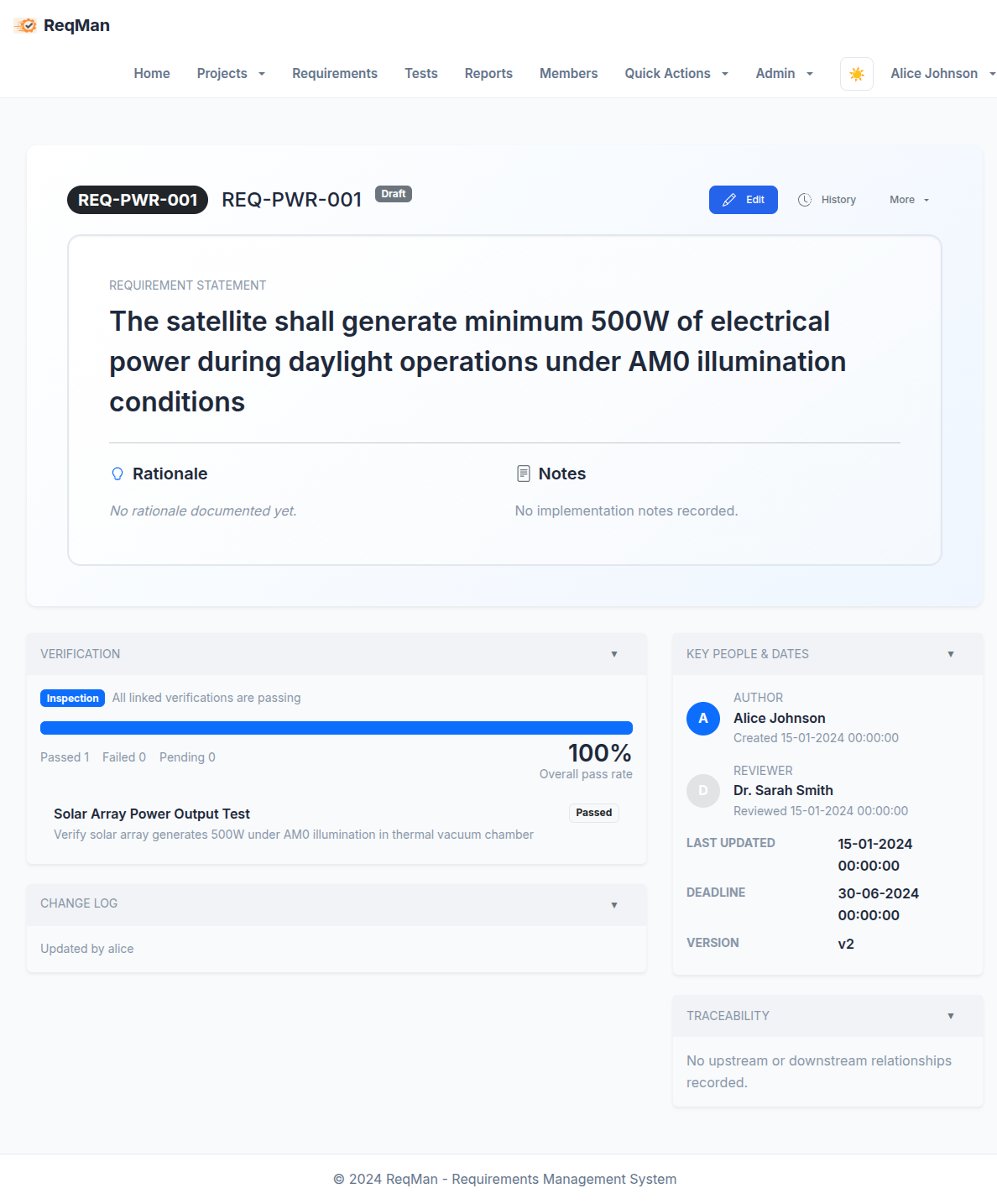
Requirement Detail
Detailed view of individual requirements with all metadata and relationships
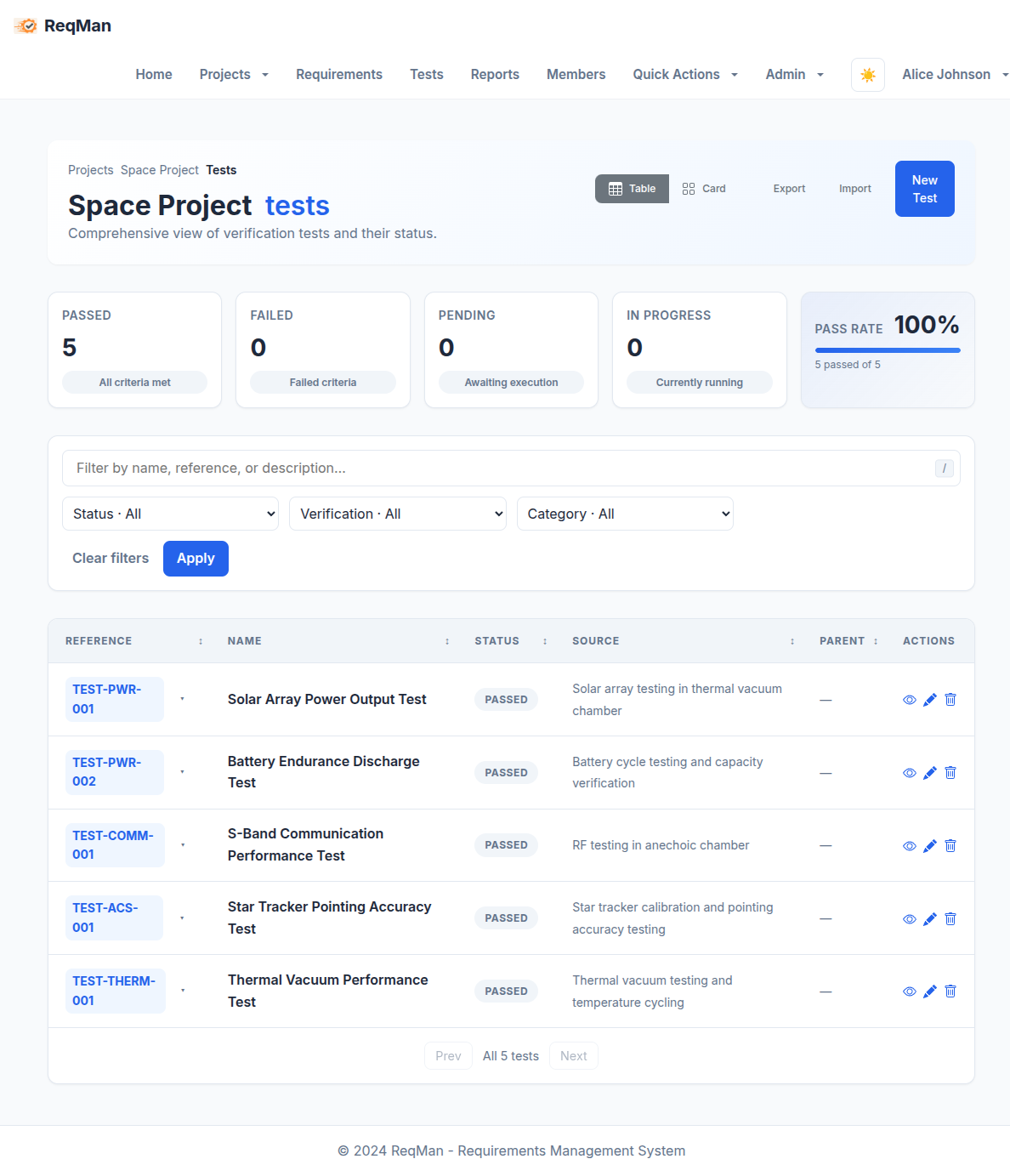
Test Management
Manage test cases with status tracking and source documentation
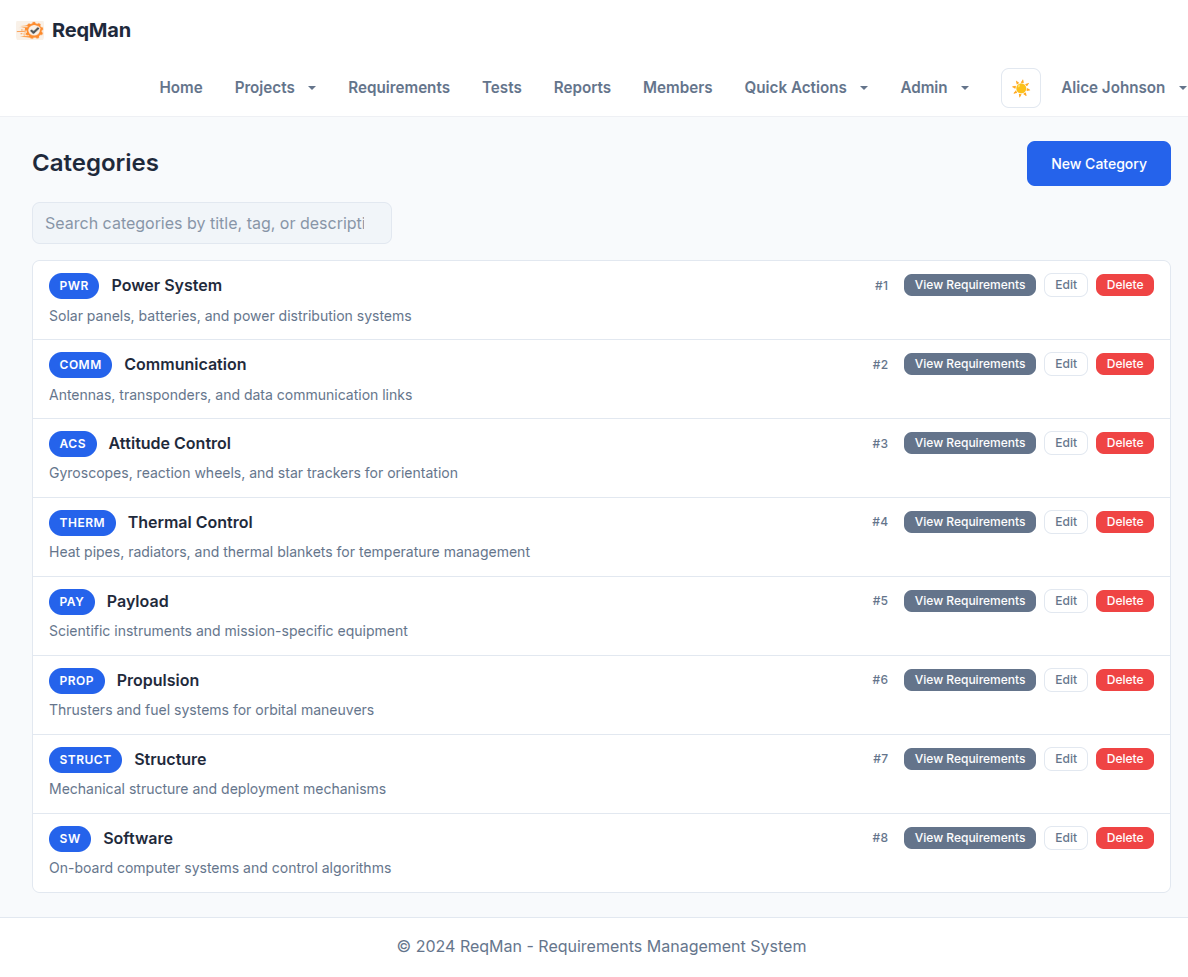
Categories & Applicability
Define custom categories and applicability options for your project
🚀 Quick Start
Prerequisites
- PostgreSQL: Database backend (provided via Docker)
- Docker & Docker Compose: For database containerization
- Rust: Programming language
- clang / libclang-dev: Required by
xlsxwriter
Installation
For a fully initialized database with pre-configured users and sample data:
- Start database:
docker compose up -d db - Initialize DB with sample data:
./scripts/setup_database.sh - Start app:
cargo run --bin mar_req
Then open http://localhost:8000 in your browser (all demo
users use password password).
📖 User Manual
Web Interface
Requirements
Navigate to project requirements to view and manage requirements (with version history). You can:
- Create new requirements with hierarchical structure
- Edit existing requirements inline or via detail page
- Filter and search requirements (including Approved only / Not approved)
- Assign categories, applicability, authors, and reviewers
- Track requirement status and approval (Draft → Reviewed → Approved)
- View requirement hierarchy and version history
- On the detail page: use Mark as Reviewed and Approve Requirement (project owners/managers)
Tests
Go to project tests to manage test cases. Features include:
- Create and organize test cases (hierarchical)
- Link tests to requirements via traceability matrix
- Track test status and results
- Document test sources and verification methods
Traceability Matrix
Visit project matrix to view the traceability matrix. This provides:
- Visual mapping between requirements and tests
- Status and suspect-link indicators for each requirement–test link
- Filtering and search capabilities
- Export to Excel
Baselines
From the project dashboard or nav, open Baselines to:
- Create immutable point-in-time snapshots (current requirement versions + traceability)
- View baseline contents and metadata
- Export a specific baseline as ReqIF for audits or releases
Categories & Applicability
Manage project-specific metadata:
- Categories: Access project categories to create and manage requirement categories
- Applicability: Visit project applicability to define product lines, system types, or project scopes
Export Features
- Requirements Export: Click "Export Excel" on the requirements page or homepage
- Matrix Export: Click "Export Excel" on the matrix page
- ReqIF Export: Use "Export → ReqIF (current)" for the live project, or "ReqIF (from baseline…)" to pick a baseline and download its snapshot as ReqIF 1.2 XML
- File Format: Excel as
.xls; ReqIF as XML
Import Features
- Excel Parser: Standalone application to parse exported Excel files and import data via API
- ReqIF 1.2 Import: Import requirements from ReqIF XML into a project (project ReqIF/Import page)
- Data Import: Import requirements, tests, and traceability data from Excel or ReqIF
- API Integration: Seamless integration with the main application's REST API
🔌 API Reference
Base URL
http://localhost:8000/apiAll API routes are mounted at /api. All operations are project-scoped where applicable.
Endpoints
Requirements
GET /requirements- List all requirementsGET /requirements/{id}- Get specific requirementGET /requirements/{id}/versions- List versions (newest first)GET /requirements/{req_id}/versions/{version_id}- Get specific versionPUT /requirements/{req_id}/versions/{version_id}/approval- Set approval state (body:state: "reviewed" | "approved"; project owners/managers)POST /requirements- Create new requirementPATCH /requirements/{id}- Partially update supported fieldsDELETE /requirements/{id}- Delete requirement
Tests
GET /tests- List all testsGET /tests/{id}- Get specific testPOST /tests- Create new testPOST /tests/{id}/field- Partially update a test field (body:field,value)DELETE /tests/{id}- Delete test
Categories
GET /categories- List all categoriesGET /categories/{id}- Get specific categoryPOST /categories- Create new categoryPUT /categories/{id}- Update categoryDELETE /categories/{id}- Delete category
Applicability
GET /applicability- List all applicability optionsGET /applicability/{id}- Get specific applicabilityPOST /applicability- Create new applicabilityPUT /applicability/{id}- Update applicabilityDELETE /applicability/{id}- Delete applicability
Matrix
GET /matrix- Get traceability matrix data
Baselines (immutable snapshots)
GET /projects/{project_id}/baselines- List baselinesGET /projects/{project_id}/baselines/{baseline_id}- Get baseline metadataPOST /projects/{project_id}/baselines- Create baseline (body:name,description)GET /projects/{project_id}/baselines/{baseline_id}/requirements- Get requirements in baselineGET /projects/{project_id}/baselines/{baseline_id}/traceability- Get traceability snapshot
Users
GET /users- List all usersGET /users/{id}- Get specific userPOST /users- Create new userDELETE /users/{id}- Delete user
Status
GET /status- List all status optionsGET /status/{id}- Get specific statusPOST /status- Create new status
Traceability
POST /traceability/clear_suspect- Clear suspect flag for a link (body:req_id,test_id)
Semantic search (project-scoped; when enabled)
GET /projects/{project_id}/requirements/semantic_search- Search by semantic similarityPOST /projects/{project_id}/requirements/ask- RAG answer over requirementsPOST /projects/{project_id}/requirements/reindex- Reindex (admin)GET /projects/{project_id}/requirements/index_status- Indexing statusGET /projects/{project_id}/requirements/semantic_search/status- Check if enabled
Example API Usage
# Get all requirements
curl http://localhost:8000/api/requirements

# Create a new category
curl -X POST http://localhost:8000/api/categories \
  -H "Content-Type: application/json" \
  -d '{"title": "API", "description": "API requirements", "tag": "API"}'

# Export requirements to Excel
curl -O http://localhost:8000/requirements.xls
🛠️ Technology Stack
- Backend: Rust with Rocket web framework
- Database: PostgreSQL with Diesel ORM
- Frontend: Handlebars templates with custom CSS
- Reports: Excel generation with xlsxwriter
- Containerization: Docker for database